
Ready to put Ultra Quant’s signals to work? Here’s how to get set up on OKX, one of the world’s largest crypto exchanges, in just a few minutes — on desktop or mobile.
Sign up with our link and you’ll receive a 20% rebate on your trading fees.
Get started: https://okx.com/join/ULTRAQUANT
Why OKX?
OKX ranks among the top global exchanges by trading volume, offering spot trading, derivatives, and a wide range of digital assets — all on one platform. It’s a solid fit for traders who want liquidity, low fees, and a platform that supports the assets in our Watchlist.
Sign Up on Desktop
Step 1 — Visit the site
Head to OKX and click Sign up in the top right corner.

Step 2 — Select your country/region
Choose where you live, agree to the Terms of Service and related policies, and click Create account.

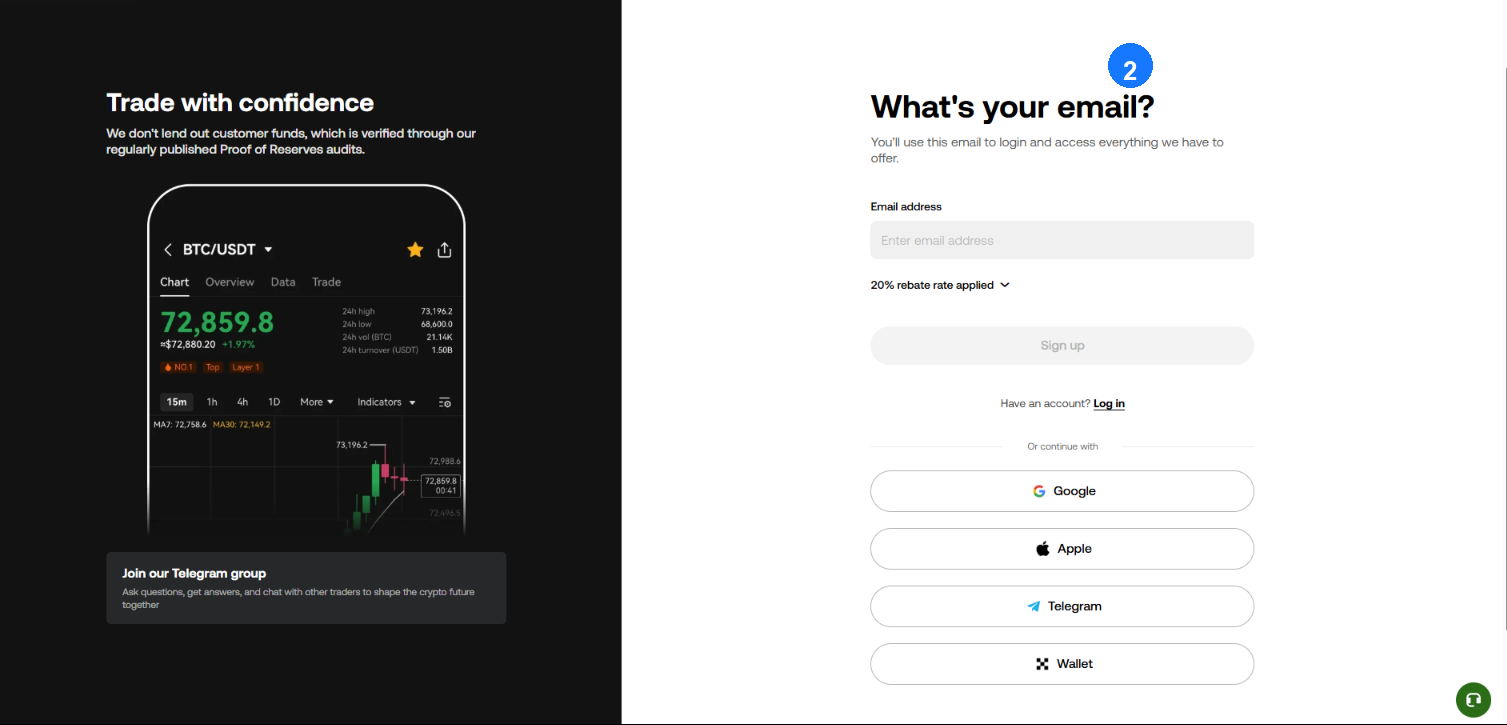
Step 3 — Enter your email
Type in the email you’ll use to log in. Look for the “rebate rate applied” note on this screen — that confirms your referral discount is active.
Step 4 — Verify your email
A 6-digit code lands in your inbox. You’ve got 10 minutes to enter it.

Step 5 — Add your phone number
Enter your number and tap Verify now.

Step 6 — Verify your phone
Enter the 6-digit code sent via SMS.
Step 7 — Set your password
Choose a password with uppercase, lowercase, numbers, and a special character — at least 8 characters long. That’s it, you’re in.
Sign Up on Mobile
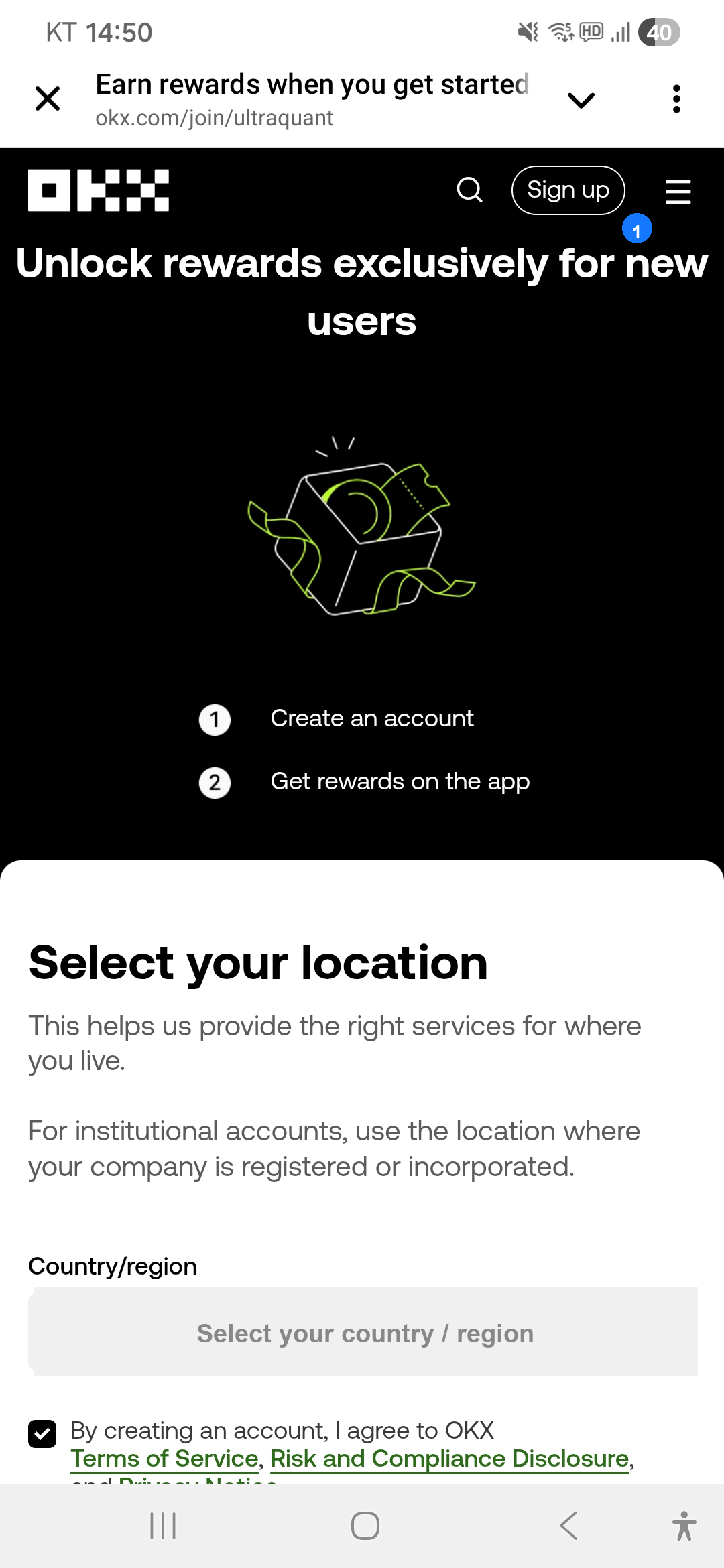
Step 1 — Select your country/region
Choose where you live. Agree to the Terms of Service and related policies, then tap Create account.

Step 2 — Enter your email
Type in the email you’ll use to log in. Look for the “rebate rate applied” note — that confirms your referral discount is active.

Steps 3–7 — From here the flow matches desktop: verify your email (6-digit code), add your phone number, verify via SMS, then set your password. You’re in.
Already Have an OKX Account? Here’s How to Rebind
If you’re already an OKX user, you can still link your account to the Ultra Quant referral channel and start earning the rebate.
- Go to: https://www.okx.com/ul/J6l2R5
- Log in with the account you want to rebind.
- Fill in the form:
Invite Code: 51110107
Reason for joining: I would like to bind my account to affiliate channel ID: 51110107 - Submit and wait for OKX to approve the rebind.
Two Things to Do Before You Trade
Verify your identity (KYC). You’ll need this before depositing, withdrawing, or placing trades. Find it under your profile’s Verification menu.
Turn on two-factor authentication. Setting up Google Authenticator or similar adds an extra layer of protection to your account — we’d recommend doing this before you fund it.
Ultra Quant is not a licensed investment advisor. This content is provided for informational purposes regarding exchange registration only. All trading decisions are made at your own discretion and risk.